Extending Pi-Hole - Making a Log Aggregator
Pi-Hole is a DNS server that runs on a Raspberry Pi and blocks advertisements without needing to install an ad-blocker on every one of your clients. You set your router’s DNS server to the IP address of your Raspberry Pi and you’re good to go. For more information on Pi-Hole, check out their website.
However, this post isn’t about Pi-Hole. I’ve been using it for months, it’s stable, its really nice, and while it has a nice dashboard and some stats behind it, it’s kind of boring. It sits there and I never touch it unless I need to whitelist something. But it has so much potential. I want to make it into the system I know it can be.
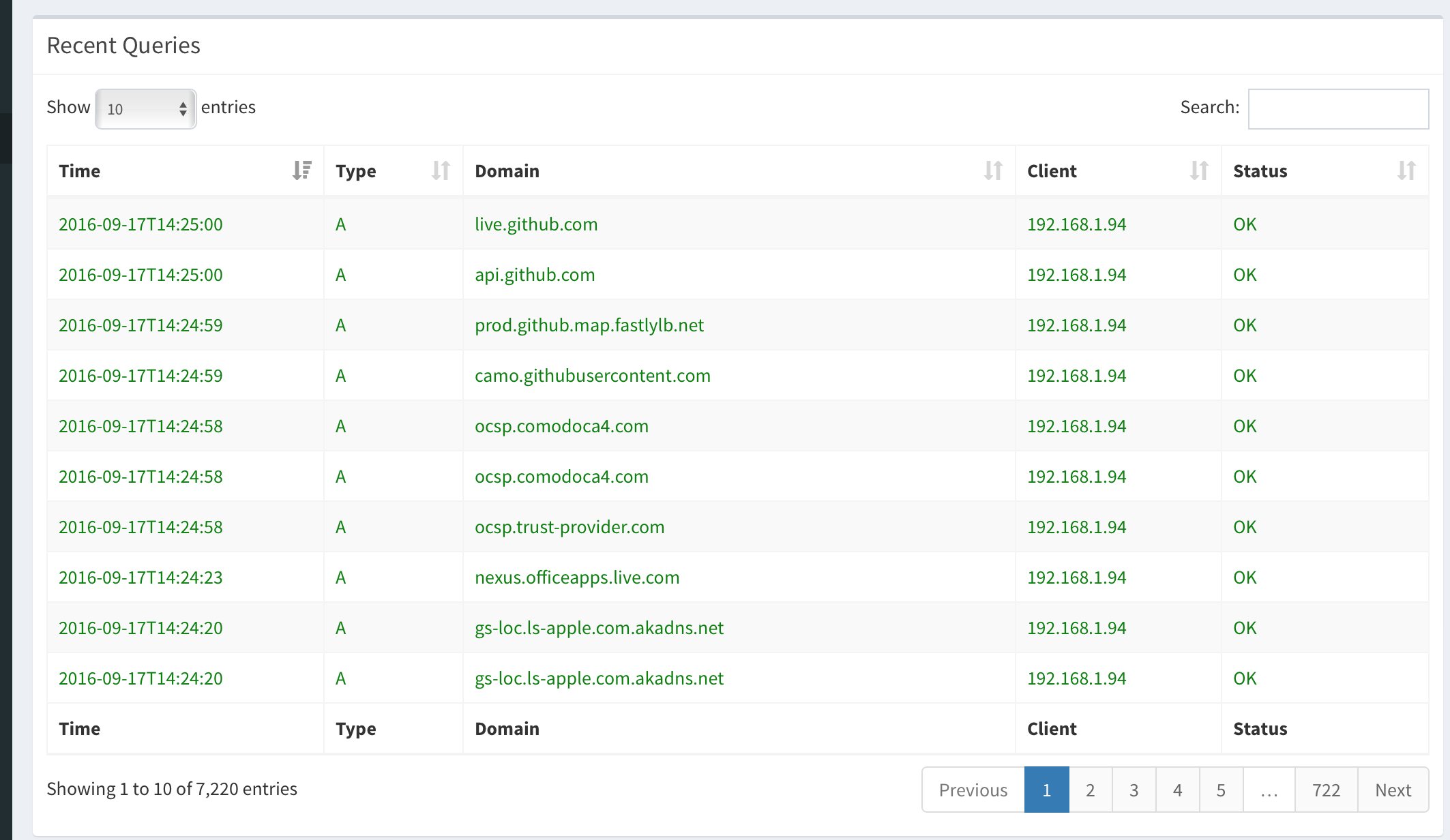
I’m a security consultant with a background in SIEM technology, so that’s where my mind goes. I see this interface and I immediately see every SIEM I’ve ever worked with:
(Edit — I should mention that I actually spoke with one of the developers of Pi-Hole and the repo is empty for PyHole, but Python development is ongoing in another GitHub repository. This makes me very excited!)
Let’s talk about how Pi-Hole works briefly, minus the actual ad-blocking. Besides blocking ads, Pi-Hole keeps and displays logs of every DNS query made on your network. It parses that information out into individual fields and then displays it in the right columns on the Recent Queries screen. There is a log file, located in /var/log/pihole.log, that keeps a record of all of this DNS activity. That’s the source of the information shown above.
Of course there’s a lot more to Pi-Hole than that. Displaying the contents of the log file is just one part of what the software can do, it’s really an amazing piece of work. But all I’m interested in right now is displaying and parsing the contents of a log file.
First step is to actually get the logs. I have an Asus router with an option to send remote syslog, and I have a Raspberry Pi with Python installed. I installed Tiny Python Syslog Server and set my router to send logs to the RPi. I did make one small change to the Python code though, to work around a limitation I have with my own knowledge of PHP (and my own patience of troubleshooting). By default, the syslog specification (RFC 3164) calls for a priority to be added to the syslog header. Most of the messages from my router have <30> at the beginning, and it sounds silly but for the life of me I could not get Pi-Hole’s parsing engine to skip that and go right to the date. So I changed a line in the Python syslog server to just strip that out.
logging.info(str(data)[4:])
I added the [4:] to the line to say “log everything that comes after the fourth character”. Problem solved. Let’s see what we’ve got now.

Excellent, logs are flowing in. Time to get hacking with Pi-Hole.
The first file I changed was /var/www/html/admin/header.php. This controls what sections of the interface are displayed on the sidebar. We want to add one for syslog, so I put in a section below “Blacklist” that opens a file called “logqueries.php”.
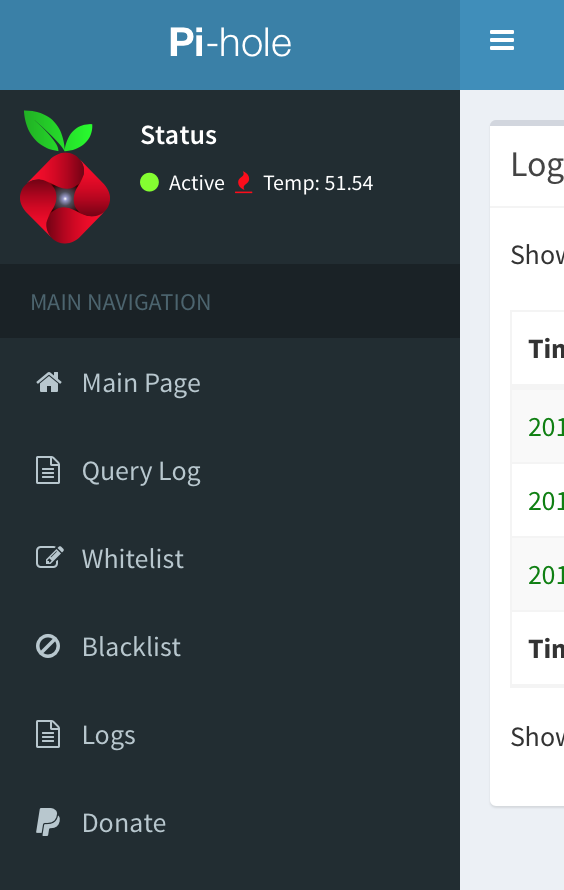
Excellent. Now we have to create that “logqueries.php”. The reason it’s called “logqueries.php” is because it’s based on the “queries.php” file that the Query Log sidebar link goes to. We want the same kind of thing, except we want to control what log it is fed from.
So on that note, copy “queries.php” to the file “logqueries.php” and let’s keep hacking.
The only thing you have to change in here is at the bottom. js/pihole/queries.js should be renamed to js/pihole/logqueries.js:
<script src="js/pihole/logqueries.js"></script>
I changed some of the column headers to make more sense and renamed the box title “Log Queries” as well, but it’s not necessary. All we need is for this file to read from the /js/pihole/logqueries.js” file. And of course, now we need to create that file.
/var/www/html/admin/js/pihole/logqueries.js is, as you may guess, based on /js/pihole/queries.js, so let’s copy that file and get to work there. Again, you just need to rename part of a function at the bottom.
function refreshData() { tableApi.ajax.url("api.php?getLogQueries").load(); }
By now you should see a pattern. “api.php?getAllQueries” is renamed to “getLogQueries”. The reason we’re creating new files and editing them instead of overwriting is two-fold: one, I still want to be able to use the Pi-Hole the way it was intended to be used. Like I said, it’s an ingenious piece of software and I love it to death. Secondly, I still want this to work even if the Pi-Hole team updates the core software. If my modifications are outside of their core files, I don’t have to worry about them being overwritten by an update. I’m trying to modify as few of their files as possible.
Anyway, the next file we’re working on is that “api.php” referenced in that function. That’s back in the folder we found all the other PHP files in. If you changed directory, switch back. Otherwise, continue on.
We’re not going to copy api.php and create a new one. We’re just modifying a function to call another script, so it doesn’t give us much to make this one fully separate.
The line we’re looking at is
if (isset($_GET['getAllQueries'])) {
We want to copy this and paste it right below the close curly bracket, then change the word “all” to “log”. Overall, it looks like this:
if (isset($_GET['getAllQueries'])) { $data = array_merge($data, getAllQueries()); } if (isset($_GET['getLogQueries'])) { $data = array_merge($data, getLogQueries()); }
Next up is the big one. At the top of api.php, it includes data.php. Since we don’t see the function “getAllQueries” in api.php, it only stands to reason that function exists in data.php. And data.php is where the magic happens.
Now, originally I was just hacking on data.php until I got it working. The idea that I needed to make this modular so updates don’t overwrite my work didn’t occur to me until afterwards. However, I’m going to skip that revelation and just show the new code in the new file.
The first thing we’re going to do to support that is add a line near the top of data.php before the “Public Members” line that says
"include 'syslog_data.php';
We’re going to create syslog_data.php from scratch this time, there’s a lot in data.php we don’t need. syslog_data.php does not override data.php like the other files, it just helps augment it with a few more functions. Again, we’re separating out our custom functions for modularity.
Inside data.php, we see the guts of how the graphs and log parsing and data management work in Pi-Hole. By changing a few lines, we can make a massive difference in what data is being displayed. We do need to change a few functions here, and since we want Pi-Hole to keep working after we do, we need to copy them and change them with a new name.
We’re going to copy out these functions and put them into “syslog_data.php”:
function readInLog() { global $log; return count($log) > 1 ? $log : file("/var/log/pihole.log"); }
and
function findQueriesAll($var) { return strpos($var, ": query[") || strpos($var, "gravity.list") || strpos($var, ": forwarded") !== false; }
and lastly, the big one,
function getAllQueries() { ... return $allQueries; }
That should be the contents of syslog_data.php. “readInLog()” will be renamed to “readInSyslog()” and the file will be changed to /home/pi/youlogfile.log (the log that Tiny Python Syslog Server writes to by default, change that if you changed it in Python). Simple enough.
findQueriesAll() will be renamed to findLogQueriesAll(), and we’ll change where it says “: query[” to “:DHCPACK(br0)”. What is happening here is this function is looking for lines in the log file with this specific string of text. In the DNS log file, it’s looking for anything that has a colon (:) followed by the word “query[“. Once it finds that, it knows this is the line in the log it’s looking for. Our DHCP logs from our router won’t have that line. For the most part, they have DHCPACK(br0) or DHCPREQUEST. We’re looking for DHCPACK right now.
This feeds into the big function we’re going to rename “getLogQueries()”. This was what took hours for me to understand. I don’t know PHP, and I’m certainly not a programmer. I’m a hacker. I get things done, whether it’s done right or not. Lots of trial and error went into this.
function getLogQueries() { $allQueries = array("data" => array()); $log = readInSyslog(); $dns_queries = getLogQueriesAll($log); foreach ($dns_queries as $query) { $time = date_create(substr($query, 0, 16)); $exploded = explode(" ", trim($query)); $tmp = $exploded[count($exploded)-4]; if (substr($tmp, 0, 2) == "DH"){ $type = substr($exploded[count($exploded)-4], 0, -5); $domain = $exploded[count($exploded)-2]; $client = $exploded[count($exploded)-1]; $status = "OK"; } if ( $status != ""){ array_push($allQueries['data'], array( $time->format('Y-m-d\TH:i:s'), $type, $domain, hasHostName($client), $status, )); } } return $allQueries; }
Let’s take it from the top down (and only the lines I actually think I understand…):
$log = readInSyslog() grabs from the file we just modified. It tells Pi-Hole where the log file sits. Simple.
$dns_queries pulls from our getLogQueriesAll() function we modified. The “dns” part of it is a misnomer, a naming scheme left over from the original function that I was too lazy to change. If getLogQueriesAll() says a line is a log file, it will be saved to the variable $dns_queries until this function is done with it.
The “foreach” section pulls out some information from the log. It grabs the time, which is the first 15 characters on the line. It “explodes” the file, which means it breaks it into chunks every time it sees a space. And it sets a temporary ($tmp) variable to be the fourth “chunk” from the end, which in this case is the word “DHCPACK(br0)”.
The next section grabs more information. If the $tmp variable starts with the letters “DH” (which it should), we’re going to start parsing the data from it. $type is the trickiest, so we’ll talk about that one last. $domain is taking the second “chunk” from the end of the line. In Pi-Hole this would be the domain, in our new syslog aggregator it’s the MAC address. I left the variable because I’m lazy. $client takes the last chunk, which is the hostname. $status is left over from Pi-Hole as well, to determine if the DNS query was okay or if it was blocked. It’s set static here to always be “OK”.
$type takes the fourth from the last chunk, but then grabs a substring from there of the beginning of the chunk all the way to the fifth-from-the-last character. In the string “DHCPACK(br0)”, it grabs DHCPACK.
The next part is just formatting the date and putting the variables into the necessary array, then returning the array to be written to the screen. You can see I’ve cut a huge amount of logic from here. We’ll add it back in at some point. Maybe. But not here, not today.
Today all we’re doing is displaying the contents of a custom log file into a custom Pi-Hole table. There’s a lot more data my router writes to syslog that will not be parsed here. If it’s not parsed, Pi-Hole just ignores it, which works for me.
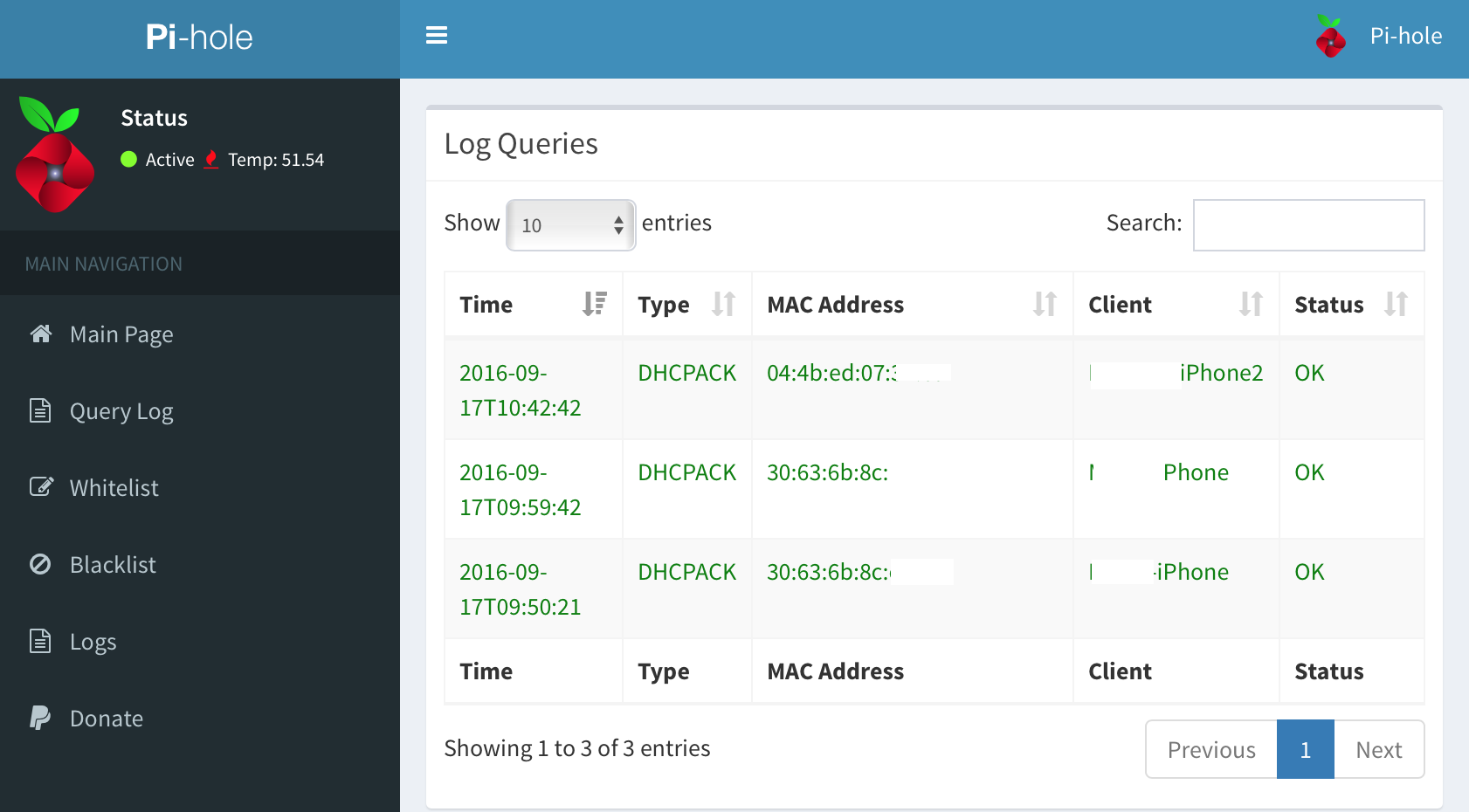
There’s logic already in place in Pi-Hole to allow for multiple custom parsers. Eventually I might even write a parser for the syslog file already on the Raspbian Linux system. But for now, I’ve proven that it’s possible to turn Pi-Hole into a syslog reader and aggregator with custom parsing. To make it into a real SIEM, it’d need to have a rules engine, a correlation engine, the ability to parse logs in real time instead of only on-demand.
But it’s a pretty good start.
You can find the code for this (as well as a downloadable version) on GitHub.